Search
 Updated on June 10, 2026 | 05:08 PM – CST
The Search tab helps you manage appointments and provider availability across a date range, which comes in handy when you're rescheduling several patients, blocking off time slots, or opening availability back up.
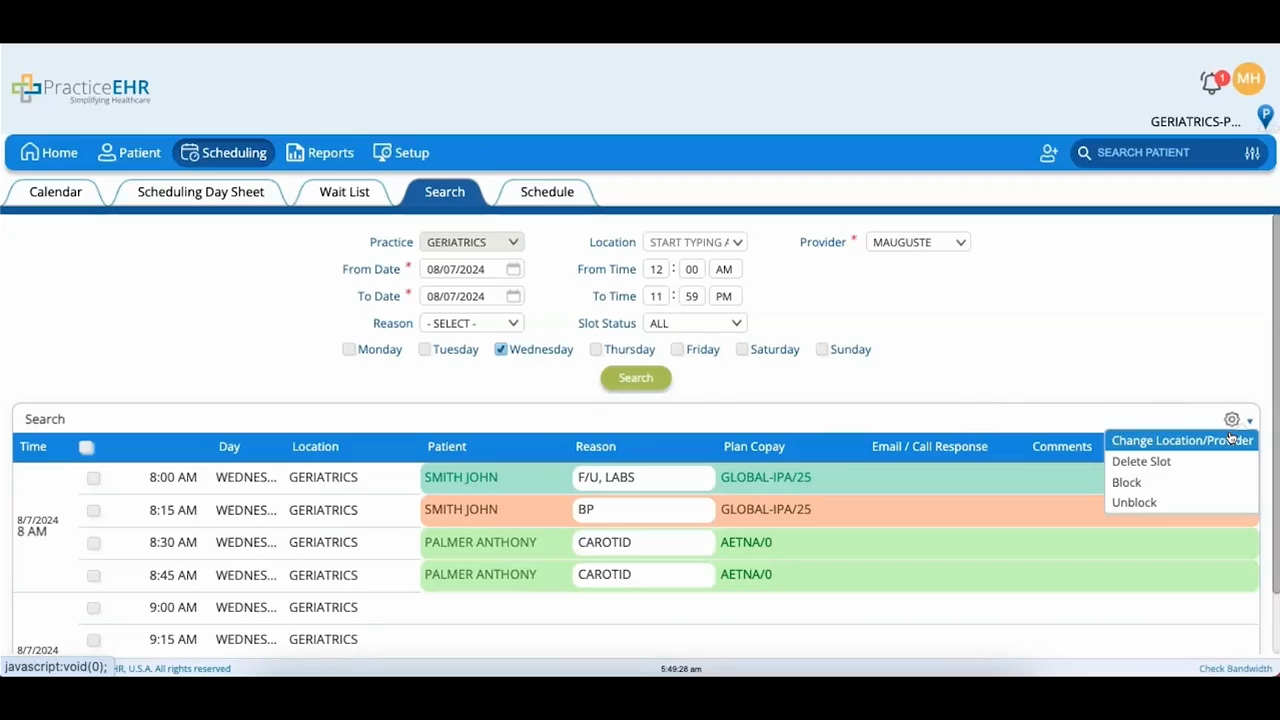
Start by setting your filters (like practice, location, provider, date range, reason, and the days of the week), then apply them to bring up a list of matching slots at the bottom of the screen.
Select the slots you want and click the gear icon to act on them. You can change the location or provider on an appointment, delete slots, block slots to make them unavailable, or unblock ones you'd closed off earlier.
It's a faster way to make scheduling changes in bulk instead of editing appointments one at a time.
