Schedule
 Updated on June 10, 2026 | 05:34 PM – CST
The Schedule tab is where the scheduling process starts. It's how you build a master schedule or open slots for a provider or resource.
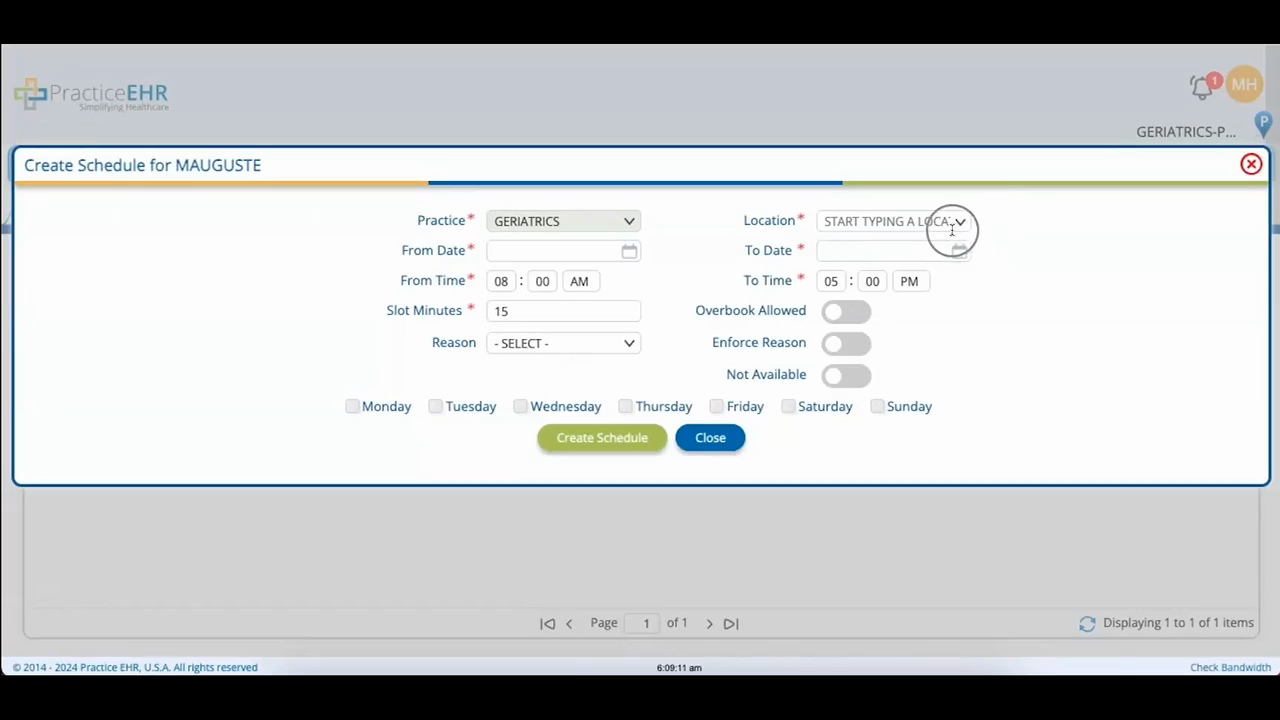
Click the Schedule tab, pick the provider or resource from the drop-down, then click Create New Schedule. Choose the location, set the date and time, and enter how long each slot should run in the Slot Minutes box. If you want, you can tag the slots with a reason from the Reason drop-down.
A few toggles shape how the schedule behaves. Overbook Allowed lets you book more than one patient into the same slot. To block off time, set the date and time and check Not Available. For a recurring schedule, enter your From and To dates and times, set the slot duration, and check the days of the week it should cover.
Click Create Schedule to save, and the new schedule or slots are ready to book against.
