Plan Payment, Patient Payment & Payment Batch
 Updated on June 10, 2026 | 06:05 PM – CST
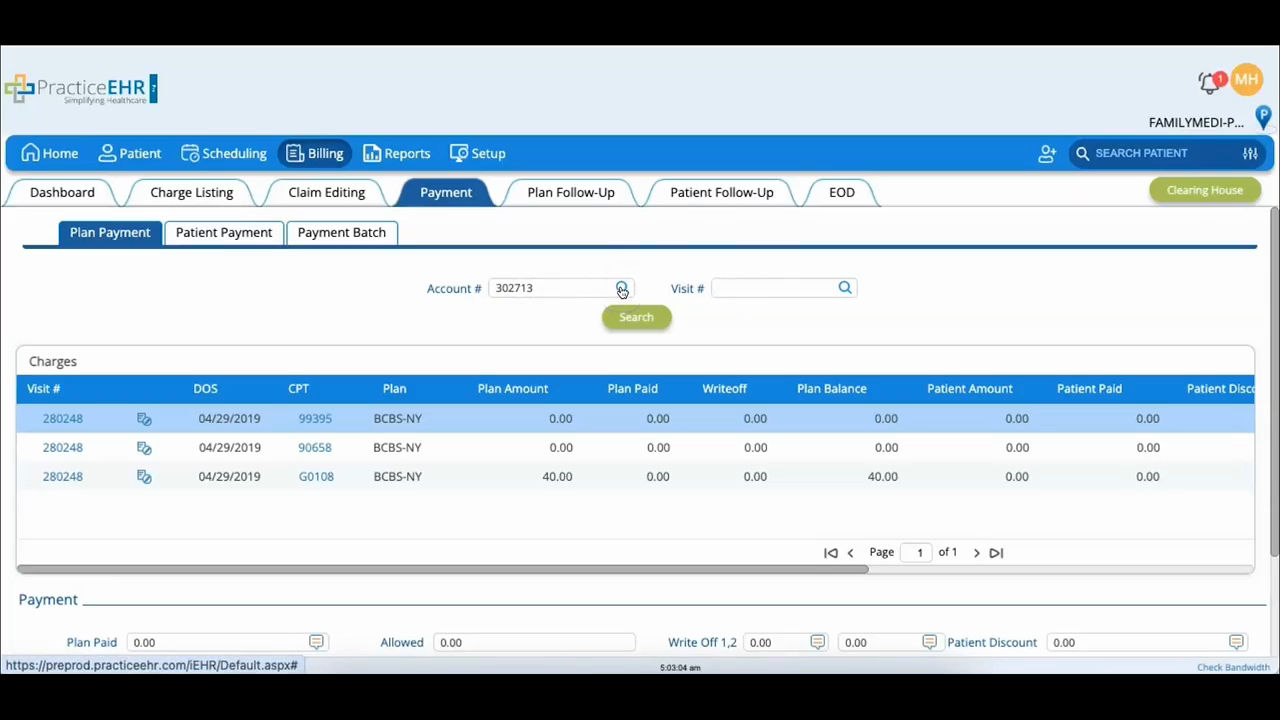
The Payment tab is where you post plan and patient payments, split across three sections.
For a single plan payment, start in Plan Payment and pull up the patient by account or visit number, or search by name with the magnifying glass icon; the account number fills in on its own. Click Search, pick the visit you're paying, enter the plan paid amount, write-off, and payment type, then click Apply Payment. If the claim was denied instead, click Apply Denial, which asks for the Remit Code.
Patient Payment follows the same path: find the patient, click Search, select the visit, and click Patient Payment. Enter the amount, set the Date Paid, and click Add Payment.
The third section, Payment Batch, is for posting several plan payments together. Click New Batch, fill in the details, and click Create Batch; the system assigns a batch number. From there, you reference that batch number back in Plan Payment to post the individual claim payments under it.
