Patient Follow-up - Billing Module
 Updated on June 10, 2026 | 06:19 PM – CST
The Patient Follow-Up tab handles claims where the patient still owes a balance past thirty days.
Search the bucket by patient name, reason, group, account number, visit number, plan, or provider, or leave the fields blank and click Search to see the whole bucket at once. Click a follow-up visit number to open the claim.
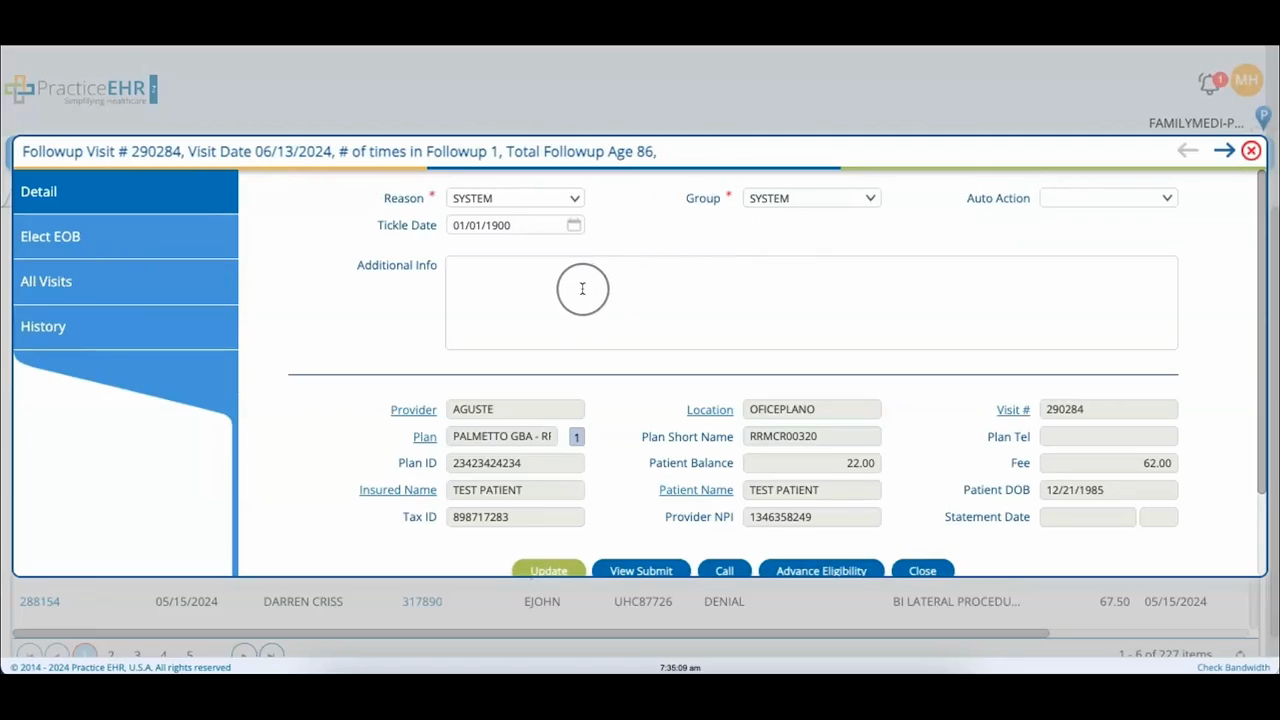
The detail window is laid out like the plan version, but the focus here is the patient's balance rather than the payer's.
Detail is where you check the follow-up info, update the status, and note what came out of any calls with the patient.
Elect EOB pulls up the electronic explanation of benefits.
All Visits lists every visit that patient has sitting in the follow-up bucket, which is handy when someone owes across several dates of service.
History keeps the full record of the claim's follow-up activity.
