Messages
 Updated on June 10, 2026 | 02:42 PM – CST
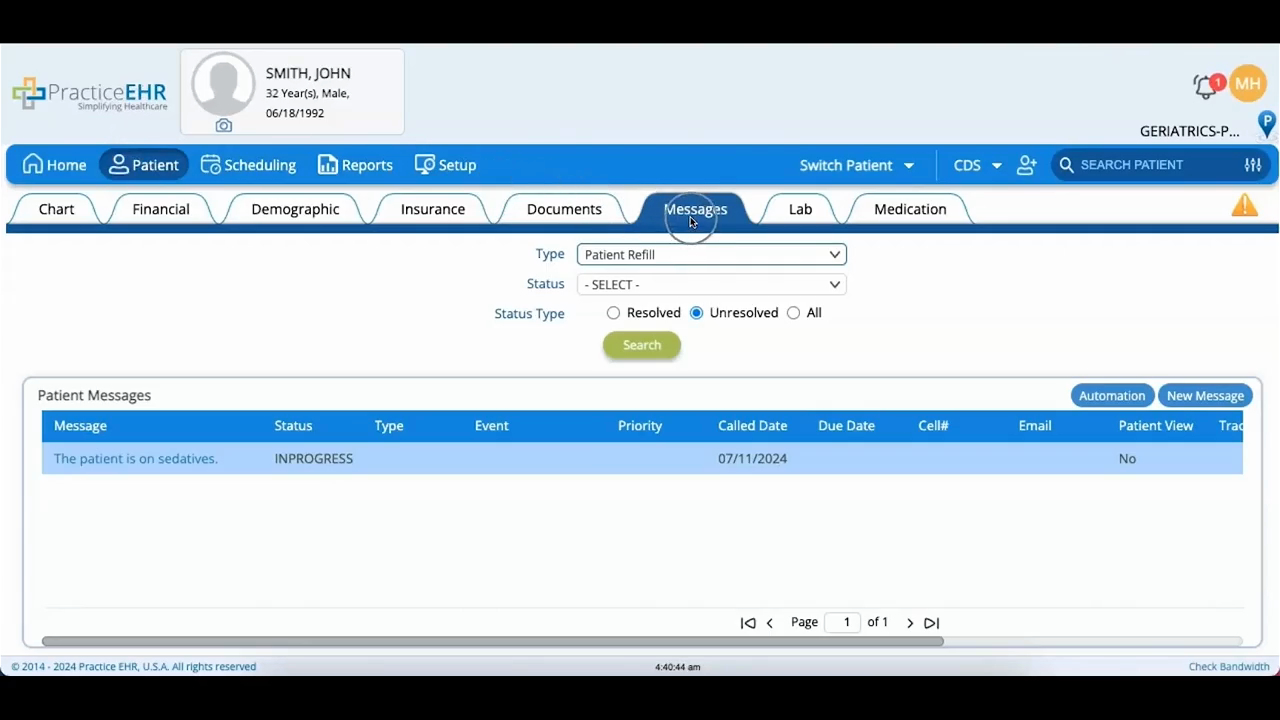
A walkthrough of the Messages tab in the patient module, where conversations about a specific patient are documented securely.
The video shows how to search messages by type or status, say, filtering to patient refills, or narrowing to resolved, unresolved, or all. The Patient Messages section lists everything for that patient by type, and clicking a message's hyperlink expands its details.
It then covers creating a message from scratch: type it in the comment box and choose a message type, then set the options around it. Alert Type flags the message as financial or clinical, Patient View shares it to the portal, and Assign To routes it to a specific user. Once a message is done with, set its status to Resolved.
