General Reports
 Updated on June 10, 2026 | 07:19 PM – CST
The Reports module is the library where PracticeEHR keeps everything that moves in or out of the system, and it splits into two parts: General and Clinical, both reachable from the left-hand menu and exportable to Excel.
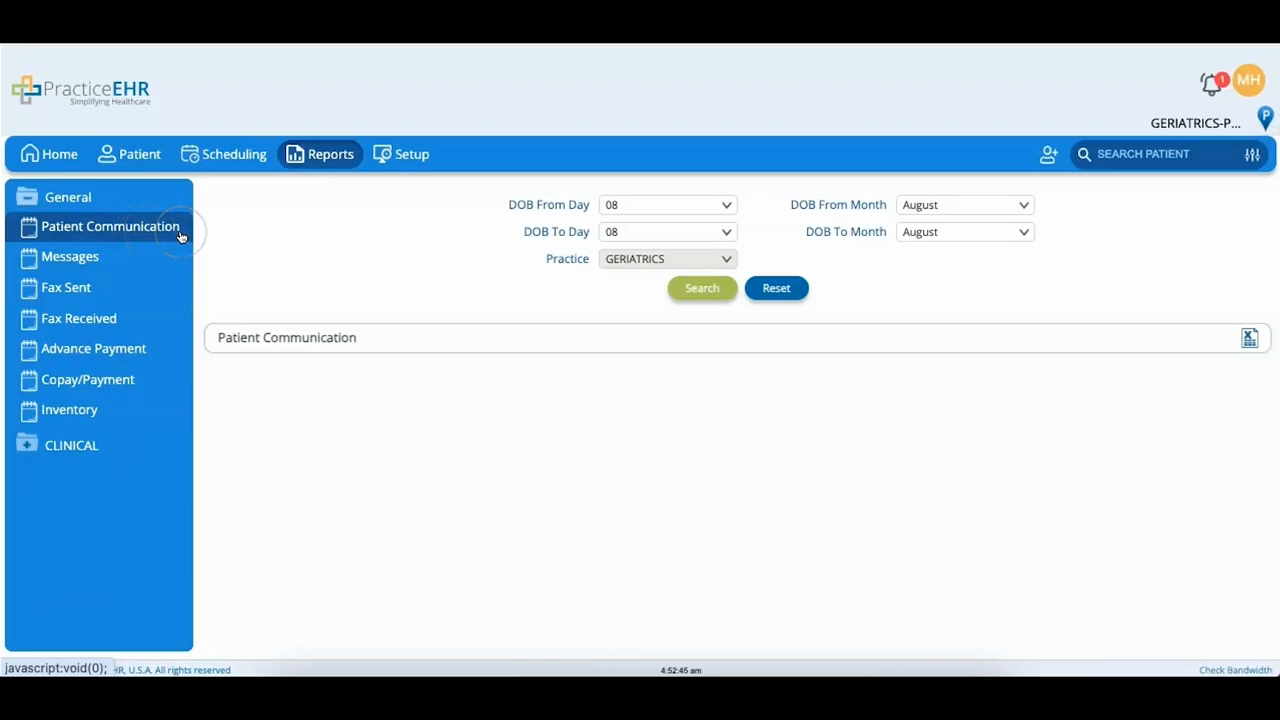
This video covers the General section, which is really a stack of patient-information buckets that all work the same way. Pick a bucket, narrow it with filters, and export the result. A couple are about patient records and messaging: Patient Communication lists registered patients (filter by date of birth), and Messages holds everything sent and received in the system (filter by user, status, type, or text).
Two buckets deal with faxes. Fax Sent covers faxes sent from patient charts, with the document available to view or download; Fax Received holds incoming faxes and lets you delete one or link it to a patient.
The rest are money and inventory: Advanced Payment tracks prepayments from patients, Copay/Payment covers copays and other payments (filter by patient, appointment date, payment type, or provider), and Inventory ties patient visits to inventory items with a deep set of filters down to CPT, vendor, and charge detail. Whichever bucket you're in, the export-to-Excel button sits in the top-right.
