Denial Codes, Lab Tests, Schedule Reasons, Custom Fields & Scheduling Jump Option
 Updated on June 10, 2026 | 07:56 PM – CST
This is the second pass through the Profiles section, covering five more setup buckets that each define a piece of reference data.
F/U Denial Codes holds the denial codes used to categorize claims. Click Create Denial Code, enter the code, pick a follow-up reason, and save.
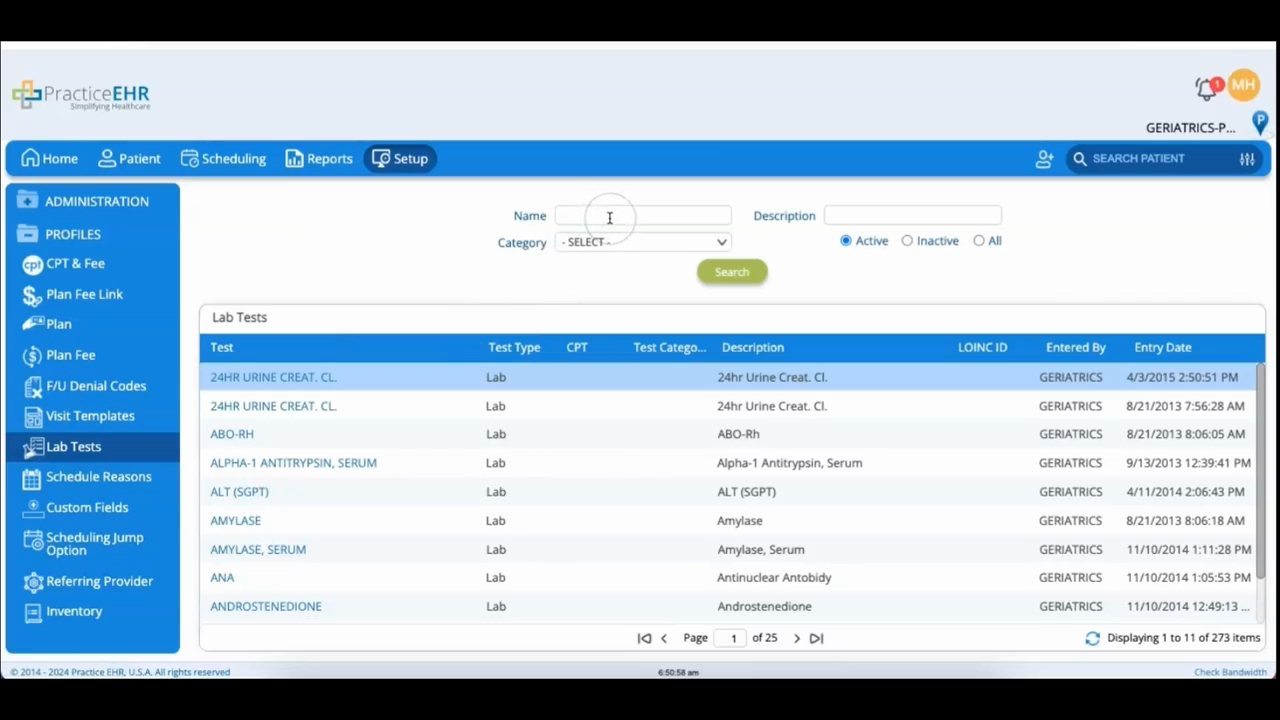
Lab Tests is mostly maintained by the PracticeEHR support team, but it's where you build a lab test crosswalk: open a diagnostic test, click Add under Lab Test Crosswalk, choose the lab, enter its code, and save, which ties a procedure code to a specific test.
The other three are about scheduling and data entry.
Schedule Reasons is your list of appointment reasons. Create one with Create Reason, edit one through its hyperlink and Update Reason, or retire one by unchecking its active box rather than deleting it.
Custom Fields lets you add your own fields to capture information that the standard forms don't; pick which section of the system the field belongs to, name it, and choose a field type.
Scheduling Jump Option sets up shortcuts for routine follow-ups by naming a jump and giving it a number of days to skip ahead, so booking a standard recheck takes one click instead of counting out the date.
