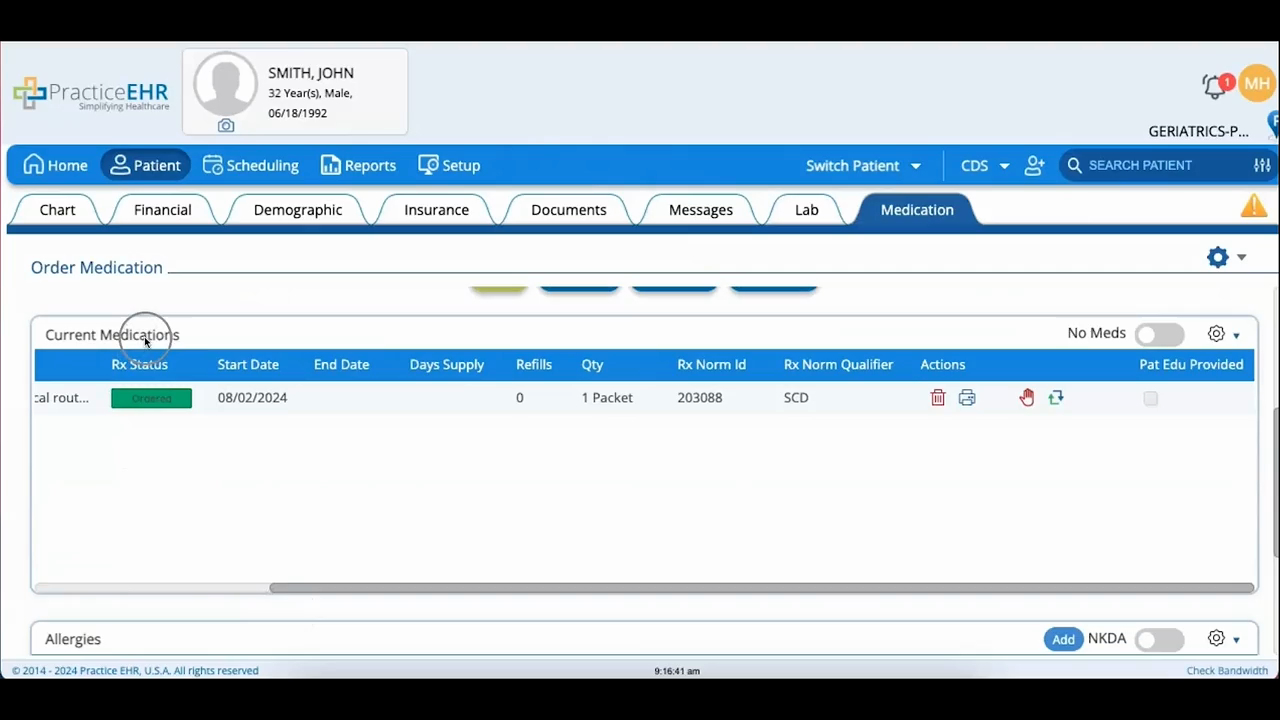
Current Medication & Allergies
 Updated on June 10, 2026 | 03:16 PM – CST
A look at the Current Medications and Allergies sections of the Medication tab.
Once a medication is prescribed, it drops into Current Medications. Click it to see the prescription details, or change its Rx status to Ordered, which turns the row green.
Each medication has four icons next to it: a red trash can to delete it, a print icon for a printout, a red hand to signal the pharmacy to stop the order, and a double-arrow icon to renew and resubmit it.
Below that, the Allergies section lists what the patient is allergic to. If there's nothing to record, ticking the NKDA box confirms you still asked.
