CPT & Fee, Plan Free Link & Plan
 Updated on June 10, 2026 | 07:50 PM – CST
The Profiles section of Setup is where the billing and clinical building blocks of your practice get defined, and this video covers the first three: CPT & Fee, Plan Fee Link, and Plan.
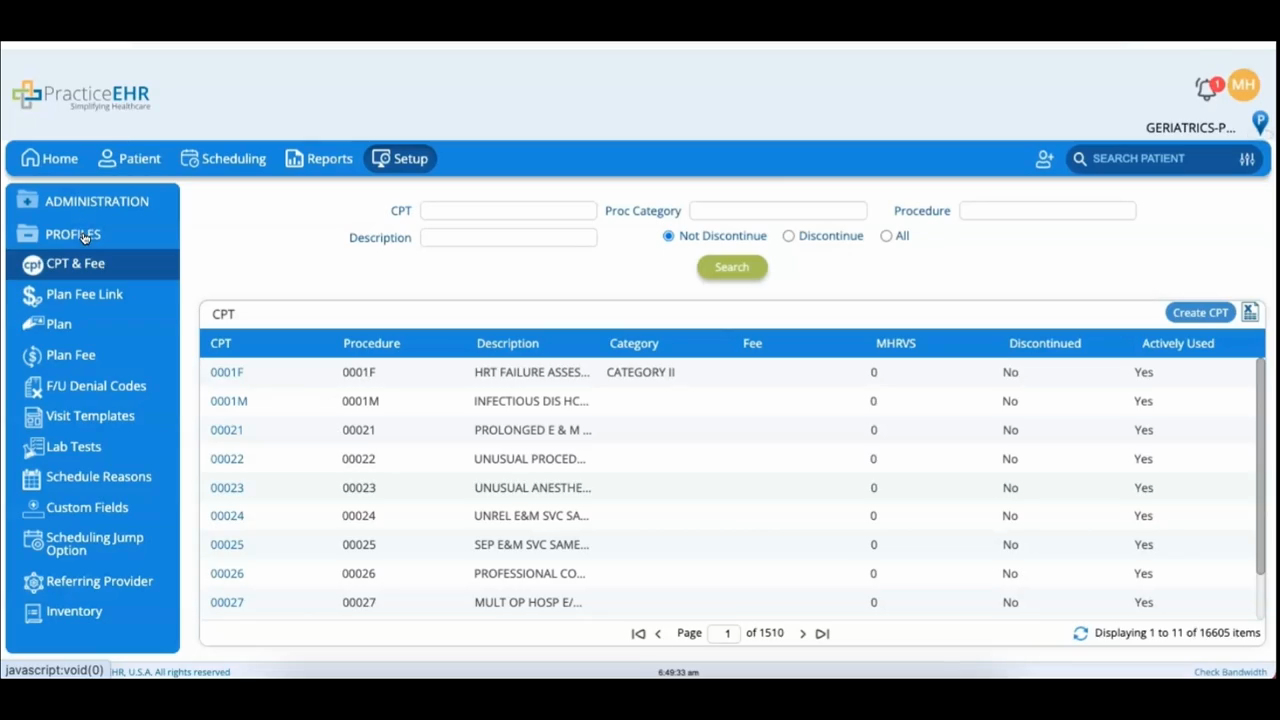
CPT & Fee is your procedure code library. Search it by code (leave the fields blank to list everything), open a code to modify it, or click Create CPT to add one, and export the list to Excel from the top-left icon. With more than 16,000 codes already loaded, you'll mostly search rather than create here.
Plan Fee Link is where you set up fee schedule links; click Search to see the ones already built, or Create Plan Fee Link to add a new one with a name and description.
Plan is where your insurance plans live. Click Create Plan, fill in details like the payer ID, short name, description, and plan family, and save. These two work together: the plans you create here are what the fee links attach a schedule to, so they're worth setting up in tandem.
