Clinical Reports
 Updated on June 10, 2026 | 07:27 PM – CST
The Clinical Reports section is the clinical half of the Reports module, and like the General side, it's a set of buckets you filter and export to Excel.
The difference is what's in them: this side is all clinical data rather than patient-admin and financial records.
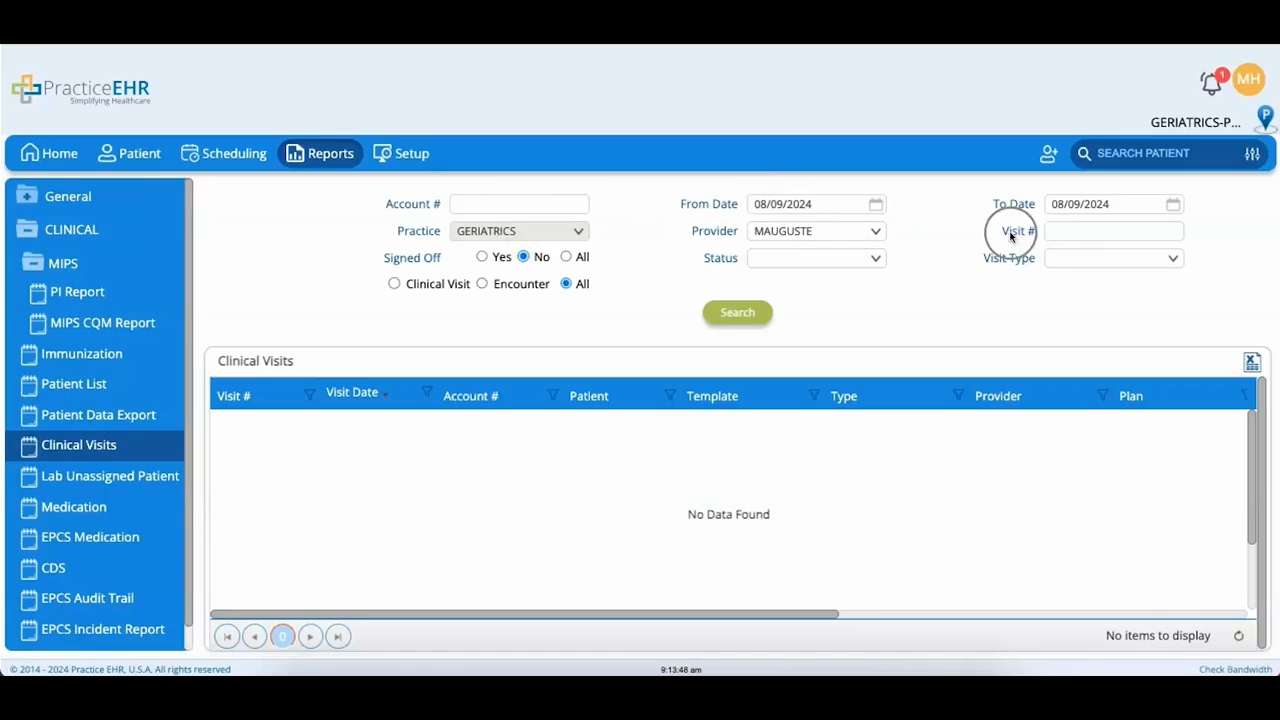
A few buckets are about patient-level clinical records — Patient List pulls registered patients by criteria like medications, diagnosis, labs, allergies, or registration date (and prints as well as exports), Patient Data Export produces patient data summaries, and Clinical Visits filters visits by provider, date, status, and type.
MIPS sits at the top and is the one that does more than export. It's where you generate and submit your MIPS reporting.
The remaining buckets are organized around specific clinical data types.
Immunization holds patient immunization records.
Medication is the patient's medication history, filterable down to drug name and prescription status.
The CDS bucket covers clinical decision support entries.
And Lab Unassigned Patient is the useful one to know about. It collects lab reports that came in without a patient attached, and from here, you can export them or link each result to the right patient.
As with the rest of the module, the export button is in the top-right of whichever bucket you're in.
