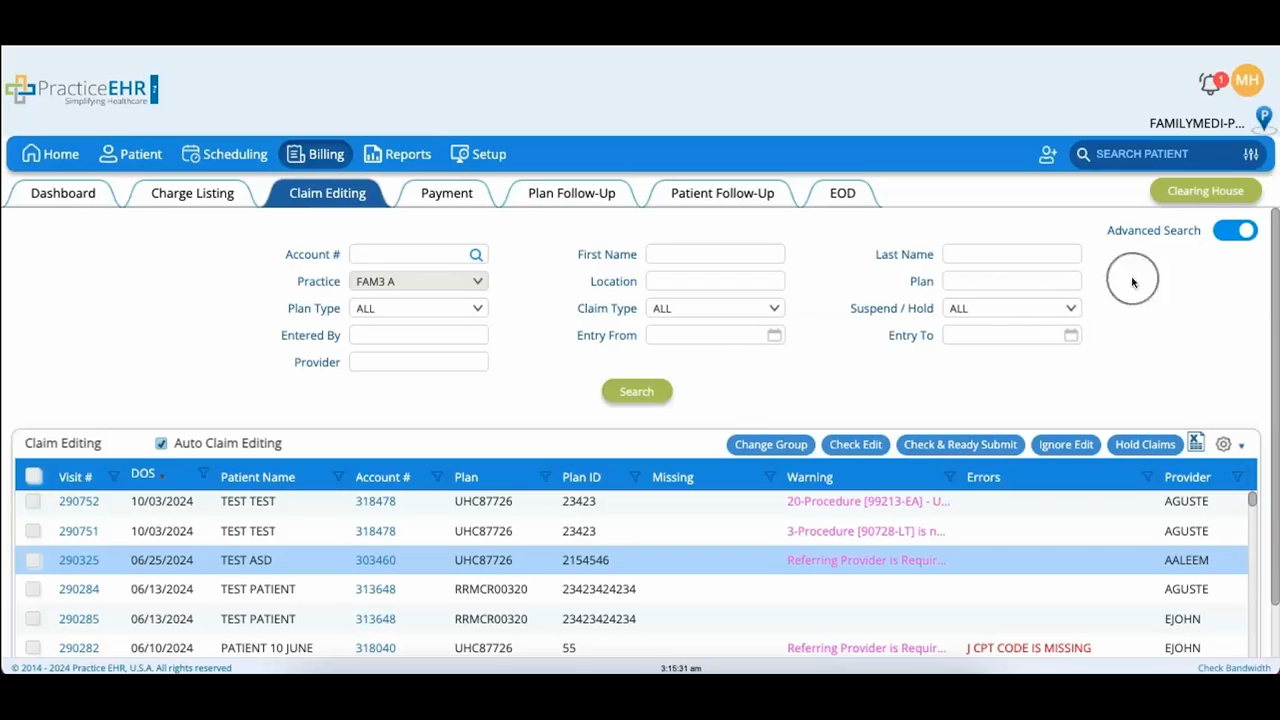
Claim Editing
 Updated on June 10, 2026 | 05:59 PM – CST
The Claim Editing tab holds claims that need fixing before they can go out, so you can catch and correct problems before submission.
Use the search fields to pull up claims that need edits, or switch on advanced search to filter by plan type, claim type, and entry details. The list beside it shows every claim flagged for editing, with warnings in purple and errors in red.
To fix a claim, click its visit number, make your changes, and click Update Visit to save. Click Check Edit to confirm the error cleared, then send it out with Check and Ready Submit.
A few other actions handle the exceptions: Ignore Edit drops a claim from the queue, but only when it has no errors or warnings left; Hold Claim parks a claim once you select it, assign a provider and plan, and click Save; and the suspend icon lets you suspend or unsuspend the visit the claim came from.
