Calendar
 Updated on June 10, 2026 | 03:34 PM – CST
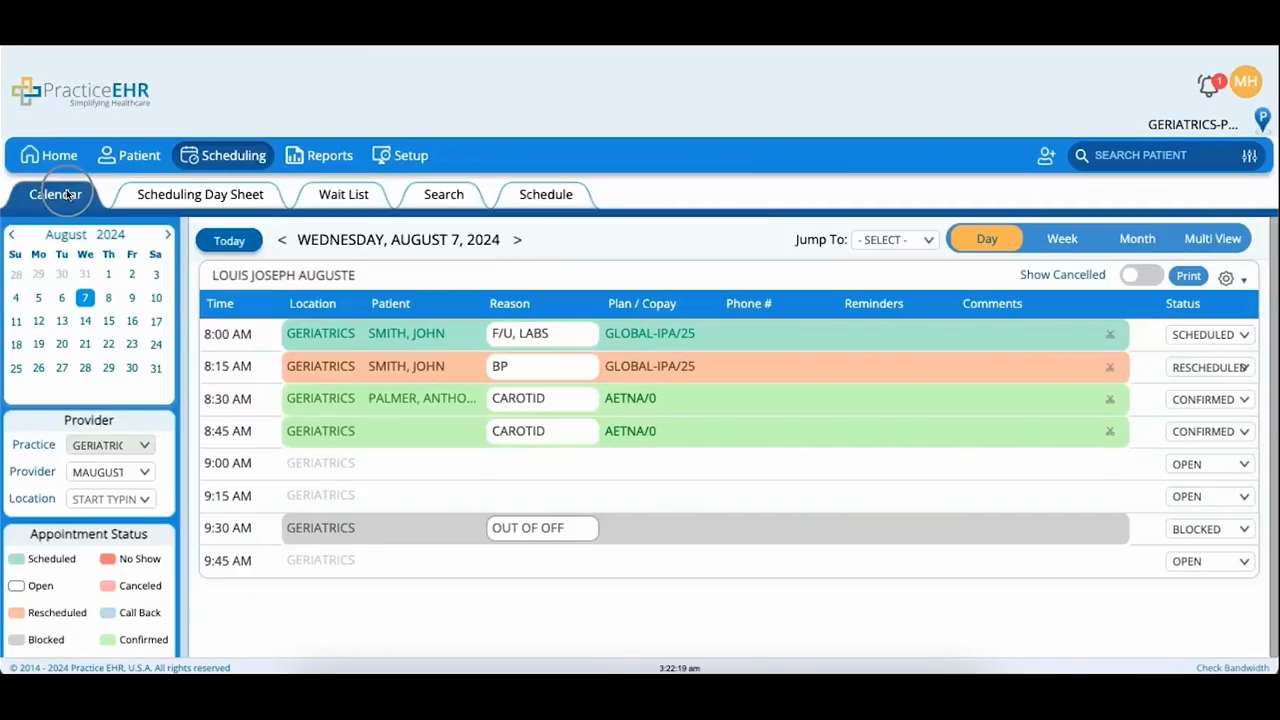
A look at the Calendar tab, which lays out a single day's open slots and booked appointments.
The calendar on the left is how you move to a date; once you've set a date, provider, and location, that day's appointments fill the provider's daily schedule. From there, the arrows step the date forward or back. Today snaps you to the current date, and the Jump To dropdown skips you to a specific day, week, or month.
You can also flip between Day, Week, Month, and Multi View, and set whichever one you prefer as the default in the Setup module.
