Add New Insurance Plan
 Updated on June 10, 2026 | 01:39 PM – CST
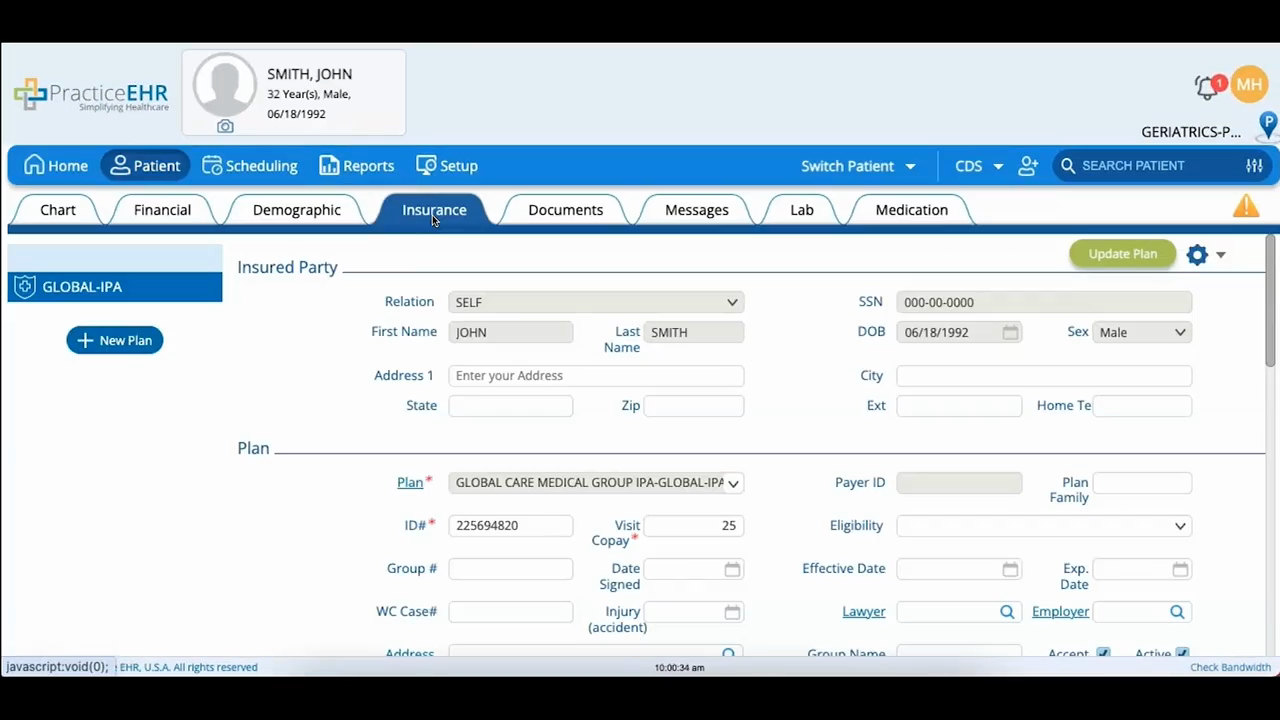
How to add an insurance plan from the Insurance tab. The tab is split into insured party, plan, referral management, case management, and eligibilities.
The video walks through starting a plan with New Plan, picking one from the dropdown (which pulls from the master directory in the Setup module), entering the patient's plan ID, and setting the visit copay, using zero if there's no copay or it's unknown.
A couple of things worth knowing: shaded tabs can't be edited here, since those update through the Demographic tab, and plans are sequenced in the upper-left corner where arrows let you swap payers between primary and secondary. Click Create Plan to save.
